The Attention Tax: The Hidden Cost of Switching Tools at Work
Understand the hidden attention cost of switching tools at work, and how listening, asking questions, and supported voice actions can reduce workflow friction.
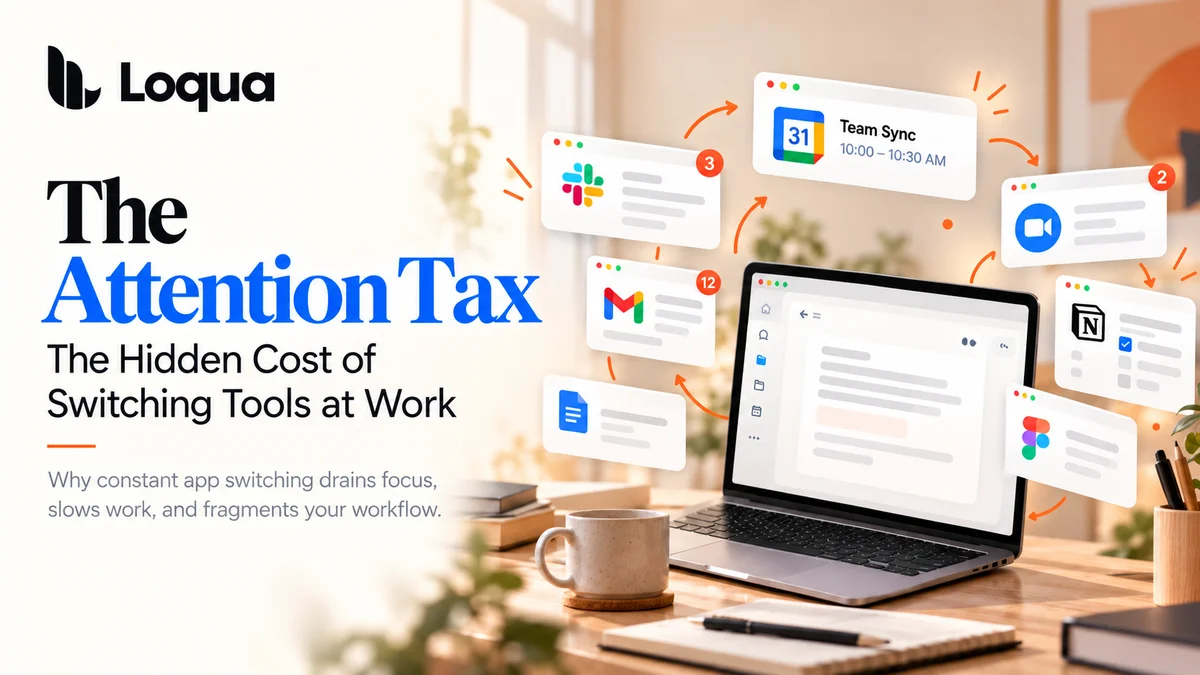
You sit down to write a report. A question comes up, so you open an AI tool. You find an answer, copy it into your document, switch to another tab to check a reference, and open your calendar to set a reminder. A few minutes later, you're back where you started, trying to remember what you were going to write.
None of these actions seems like a big deal on its own. But together, they create a hidden cost that follows us throughout the workday: the attention tax.
We often measure productivity in hours saved, tasks completed, or words written. But there's another resource we spend every day that rarely shows up on a to-do list: our attention. Every unnecessary switch between tools, every interruption to our train of thought, and every small task that pulls us away from what we're doing takes a little more of it.
And unlike time spent on a calendar, this cost is easy to overlook. We may finish the day feeling mentally drained without realizing how much of our energy went into managing the process of working, rather than doing the work itself.
The Work Behind the Work
Modern work depends on a growing collection of digital tools. We write in one app, research in another, ask questions in an AI chatbot, manage tasks elsewhere, and communicate through yet another window.
Each tool may be useful on its own. The problem is what happens between them.
A simple question can turn into a sequence of actions: open a new tab, find the right tool, copy the relevant information, explain the context, wait for an answer, and bring that answer back to the original task. A small edit might require switching windows and manually moving text. Even setting a reminder can mean leaving what you're doing to navigate another application.
These steps are easy to dismiss because they rarely feel like real work. But they are still part of the workday, consuming time and attention that could otherwise go toward writing, thinking, analyzing, or creating.
The more fragmented our workflows become, the more effort we may spend managing the tools around our work instead of making progress on the work itself.
Why Small Interruptions Can Have a Big Cost
The cost of switching tasks isn't just a matter of a few extra clicks.
In a 2009 study published in Organizational Behavior and Human Decision Processes, researcher Sophie Leroy examined what happens when people move between work tasks. Her research explored a phenomenon called attention residue: when we switch away from an unfinished task, some of our attention may remain attached to it, making it harder to fully engage with the next task.
The American Psychological Association has also summarized research on task-switching costs, explaining that moving between tasks requires mental readjustment and can reduce efficiency, particularly when switching happens repeatedly.
These findings don't mean that every interruption is harmful or that every tool switch leads to a measurable loss of productivity. Some tasks genuinely require different tools, and not every switch disrupts concentration in the same way.
But they point to an important distinction: the time it takes to perform an action is not the only cost.
Consider the difference between spending thirty seconds asking a question and spending those same thirty seconds switching applications, reconstructing context, and figuring out where you left off. The clock may record the same amount of time, but the experience of working can be very different.
When small interruptions happen repeatedly throughout the day, the additional effort can accumulate. What feels like a series of insignificant actions can become a persistent drain on our ability to stay engaged.
Your Tools Should Support Your Workflow, Not Interrupt It
The answer isn't to stop using digital tools. Nor is it realistic to expect people to maintain uninterrupted concentration for an entire workday.
The more useful question is this: How much friction does your workflow force you to deal with just to keep moving?
A well-designed productivity tool shouldn't simply make individual tasks faster. It should also make the transitions between those tasks less demanding.
That means reducing unnecessary steps, preserving the context of what you're working on, and letting you get answers or complete small actions without repeatedly leaving your current environment.
This is where voice-first interaction can make a difference. Speaking a question, listening to selected text, or triggering a supported action by voice can remove some of the steps that would otherwise require manual navigation, copying, or typing.
The goal isn't to eliminate every interaction. It's to make the interactions that remain feel more natural and less disruptive.
Three Ways to Pay Less Attention Tax with Loqua
Loqua brings several voice-first capabilities into your desktop workflow. Read Aloud, Ask Anything, and Voice Actions address different moments when routine interactions can pull you away from your primary task.
1. Read Aloud: Listen Without Putting Everything Else on Hold
Reading is essential to many kinds of work, from reviewing research and reports to checking long documents and articles. But reading also requires sustained visual attention.
With Loqua's Read Aloud, you can select text on your screen and have it read aloud. Playback continues in a floating audio bar, so you can move to another application while listening.
This can be useful when you want to review written material without keeping your eyes fixed on the page, or when listening fits more naturally into your workflow than reading every line on screen.
The benefit isn't that listening automatically makes you more productive. It's that you gain another way to access information, with fewer demands on your hands and eyes in suitable situations.
2. Ask Anything: Get Answers Without Breaking Your Flow
You're reading a report when you encounter an unfamiliar term, a confusing chart, or a paragraph that needs clarification. Traditionally, you might open an AI chatbot, copy the relevant content, type a prompt, wait for the answer, and return to your original document.
Loqua's Ask Anything lets you select relevant content or capture the part of your screen you want to understand, then ask a question by voice and receive an answer in a popup.
Instead of rebuilding the context in another application, you can ask about what's already in front of you.
This is particularly useful for small, specific questions that arise in the middle of a larger task. You don't need to turn every moment of uncertainty into a separate AI workflow.
3. Voice Actions: Handle Small Tasks Without Leaving Your Train of Thought
Not every interruption starts with a difficult question. Sometimes, you simply need to set a reminder, open an application, or complete another supported action.
With Loqua's Voice Actions, you can trigger supported operations through spoken commands rather than manually navigating through menus and windows. Available actions vary by platform and integration.
These tasks may seem trivial, but they are precisely the kinds of things that can scatter attention throughout the day. Making them easier to initiate can help reduce the operational friction surrounding your main work.
The point isn't that every task should be voice-controlled. It's that simple actions shouldn't demand more of your attention than they need to.
Protect Your Attention, Not Just Your Time
Productivity is often framed as a race to do more in less time. Faster typing, faster answers, more automation, more tasks completed.
But speed is only part of the equation. The way we move through our work matters, too.
A tool that saves a few seconds but adds another layer of complexity may not improve the overall experience. A tool that removes unnecessary steps, keeps relevant context close, and makes routine interactions less disruptive can offer something more valuable: the opportunity to stay focused on the task that actually matters.
You don't need to eliminate every interruption or work in perfect concentration all day. You need a workflow that doesn't create extra interruptions without a good reason.
That's the idea behind reducing the attention tax.
Loqua brings listening, asking, and acting into a more continuous desktop workflow, helping you spend less effort navigating between tools and more of your attention on the work itself.
Your attention is a limited resource. Your tools should help you spend it wisely.