How to Edit Text with AI Using Your Voice
Learn how AI voice editing works and use Loqua Speak to Edit to rewrite, shorten, clarify, and adjust selected text through spoken instructions.
You spend twenty minutes writing an email. You read it back and realize the tone sounds too formal.
So you open an AI chat tool, copy the email, type a request to make it sound more natural, and paste the revised version back into your draft. Then you notice the second paragraph is still too long, so you repeat the process.
Before long, you've spent more time editing than writing.
This happens more often than we realize. A report needs clearer wording. A Slack message sounds too blunt. A product description needs to be shorter. You already know what you want to change, yet getting there still involves selecting text, copying it, switching apps, writing instructions, and pasting the result back.
AI can help us write, but editing what we've already written can still involve a surprising amount of repetitive work.
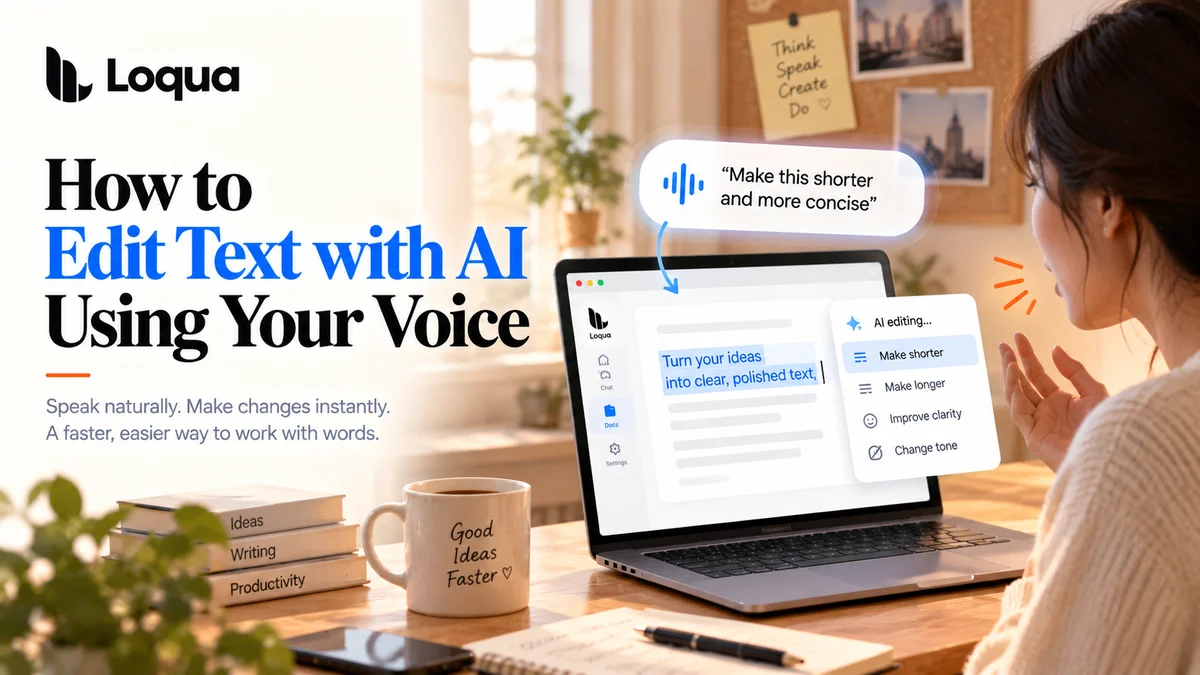
AI voice editing offers another approach: instead of typing out every revision request, you select the text you want to change and describe what you need in your own words.
That's what Loqua's Speak to Edit is designed to do. It lets you revise existing text through voice, whether you want to rewrite a passage, improve its clarity, or adjust its tone, without turning every small edit into an entirely new writing task.
What Is AI Voice Editing?
AI voice editing is the process of using spoken instructions to modify existing text, rather than simply converting speech into written words.
Traditional voice typing solves one problem: getting your ideas onto the page faster.
Voice editing addresses another: once the words are there, how can you make them better with less effort?
For example, you can select a passage and say:
-
"Make this shorter."
-
"Make it sound more natural."
-
"Rewrite this in a more professional tone."
-
"Make this easier to understand."
-
"Turn this into three bullet points."
You don't need to formulate a complicated prompt before making a change. You simply explain what you want the text to do differently.
Of course, voice editing doesn't guarantee that every revision will be perfect. You should still review important content involving figures, technical terminology, or business commitments. Its value lies in reducing repetitive work, not replacing your judgment.
Why Can Editing Feel More Exhausting Than Writing?
1. You Know Something Is Wrong, but Can't Quite Explain What
An email contains no obvious grammatical mistakes, yet it doesn't sound natural.
A report includes all the necessary information, but the main point is buried.
A product description explains every feature, but you know it needs to be more concise.
These problems aren't always solved by a basic spell-checker. You need to reconsider the emphasis, tone, and structure of the writing.
When every revision requires you to formulate a complete instruction from scratch, even small edits can become tedious.
2. One Small Change Can Trigger a Whole Series of Steps
Imagine you're revising a project proposal.
You select a paragraph, copy it into an AI chat window, explain what needs to change, wait for the response, and paste the revised text back into your document. After reviewing it, you spot another issue and repeat the entire process.
Each individual action might take only a few seconds. Repeat them throughout the day, however, and your workflow becomes fragmented.
The problem isn't just the number of steps. It's the constant switching between writing, prompting, reviewing, and navigating different applications.
3. You Want Better Writing, Not a Different Meaning
Sometimes, you don't need AI to create something entirely new.
You just want to make a paragraph clearer, an email less formal, or a lengthy explanation more concise.
Starting from a blank prompt every time can make a simple edit unnecessarily complicated. What you need is a way to work with the content you've already written and change only what needs changing.
That's where voice editing becomes useful. It focuses on your existing text and the specific improvements you want to make.
Four Real-World Uses for AI Voice Editing
Scenario 1: Your Email Is Ready, but the Tone Feels Wrong
You're preparing a follow-up email to a client.
The information is complete, but you're worried that the message sounds too direct or overly formal. You don't want to rewrite the whole thing. You just want it to sound more natural while preserving your original meaning.
With Loqua's Speak to Edit, you can select the relevant passage and say:
"Make this email sound warmer and more natural, but keep it concise."
This approach is useful for email drafts, client communications, and everyday workplace messages. You can write the initial version first, then refine individual passages without repeatedly copying the entire email into another AI tool.
Scenario 2: Your Report Is Too Long, and the Main Points Are Getting Lost
You're preparing a project report. To make sure nothing important is missing, you've included plenty of background information. Now, however, the conclusions are buried beneath paragraphs of explanation.
You don't necessarily want to remove useful information. You want to reorganize it so readers can understand the key points more easily.
After selecting the relevant paragraph, try an instruction such as:
"Shorten this paragraph and highlight the three main takeaways."
For reports, project updates, and post-meeting summaries, this can help you refine existing material without rebuilding it from scratch.
If the original contains important figures, deadlines, or responsibilities, review the revised version carefully to ensure the meaning remains accurate.
Scenario 3: You Have Good Ideas, but Your Writing Sounds Stiff
Some people can organize their thoughts easily but find it harder to turn those thoughts into clear, natural writing.
For example, you've drafted a product description, but it reads more like a list of features than a coherent explanation.
You can select the passage and say:
"Rewrite this to sound more conversational while keeping the key information."
AI voice editing can help you adjust the way your ideas are expressed. You still decide whether the content is accurate and whether the message makes sense. You simply spend less time manually rewriting every sentence.
Scenario 4: One Paragraph Needs Several Rounds of Editing
Real editing rarely happens in a single pass.
You might first want to shorten a paragraph, then realize the tone is too casual, and finally decide the structure needs work. Each change is small, but making them one after another can become frustrating.
With Loqua, you can give successive instructions for the selected text. For example:
First: "Make this shorter."
Next: "Keep the examples, but remove the repetition."
Finally: "Make the tone more professional."
Each instruction addresses a specific problem. You can review the result and decide what to change next, rather than repeatedly explaining the entire context.
The point isn't that every instruction will produce the perfect result. It's that the editing process can feel more like a natural conversation: identify an issue, explain what you want, review the change, and move on.
Loqua Speak to Edit: From Voice Typing to Voice Editing
Many voice tools focus on converting spoken words into text. Loqua aims to make voice useful across a broader writing workflow.
Alongside voice typing, Loqua offers Speak to Edit, which lets you select existing text and use spoken instructions to rewrite, rephrase, or adjust its tone.
These capabilities solve different problems.
| Task | Traditional approach | With Loqua |
|---|---|---|
| Write a new email | Type manually or dictate the first draft | Speak naturally to produce formatted text |
| Shorten an existing paragraph | Delete and rewrite sentences, or use a separate AI chat | Select the text and describe the desired change by voice |
| Adjust the tone | Replace wording manually | Select the relevant passage and request a different tone |
| Improve clarity | Rewrite sentences one by one | Ask AI to rephrase the text, then review the result |
| Refine a draft | Repeat the copy-paste-and-prompt cycle | Continue making voice-based edits to selected text |
The main advantage isn't that speaking is always faster than typing. It's that you can express your editing intent in the language you already use.
When you know what needs to change but don't want to spend time repeatedly entering instructions and moving text between apps, this approach can be especially useful.
How to Edit Text with Loqua
Loqua supports voice editing within desktop workflows. The exact experience depends on the application you're using and whether the relevant workflow is supported.
Step 1: Find the Text You Want to Change
Open the document, email, message, or other supported desktop application containing the text you want to revise.
Start with a draft. You don't need to stop repeatedly to perfect every sentence before moving on.
Step 2: Select the Relevant Passage
Highlight a sentence, paragraph, or section that needs to be reworked.
Selecting the relevant text helps define the scope of the edit, making it easier to focus on the part that actually needs attention.
Step 3: Describe the Change by Voice
Use Loqua's voice editing feature to explain what you want to change.
For example:
-
"Make this more concise."
-
"Use a more professional tone."
-
"Rewrite this for a non-technical audience."
-
"Turn this into a short summary."
You don't need an elaborate prompt. Clear instructions make it easier to judge whether the result matches your intention.
Step 4: Review the Result
Check whether the revised text preserves the original facts, tone, and meaning.
If it doesn't quite meet your expectations, you can give a more specific instruction and refine the selected content further.
For client emails, reports, contracts, and other important documents, a final review remains essential.
Visit the Loqua websiteto learn more about Speak to Edit and its other voice-powered workflows.
AI Voice Editing vs. Traditional AI Writing Tools
Traditional AI writing tools typically receive instructions through a chat interface and generate text in response. This approach works well for long-form writing, brainstorming, and tasks that require substantial background information.
However, if you only want to revise one sentence in your current document, you may need to copy the text, switch applications, and provide the relevant context again.
Voice editing takes a more direct approach. You select the text, describe the change, and review the result.
The two approaches can work together. You might use a conversational AI tool for extensive drafting, then use Loqua's Speak to Edit to refine individual passages throughout your daily work.
The important distinction is what you're trying to accomplish: generate new content from scratch, or make a specific improvement to work that's already in progress.
What to Look for in an AI Voice Editing Tool
Can It Edit Existing Text?
Some tools are primarily designed to convert speech into new text. If you frequently revise emails, reports, and documents, check whether the product supports editing existing content rather than just dictation.
Can You Control the Scope of an Edit?
Being able to select the relevant passage helps limit unnecessary changes. This matters particularly when working with documents containing extensive background information or specialized terminology.
Does It Understand Natural-Language Instructions?
A useful tool should let you describe the desired change in everyday language without requiring you to memorize fixed commands or write elaborate prompts.
Does It Fit Your Existing Workflow?
If every edit requires opening another application, copying text, and pasting the result back, the overall process can still feel cumbersome, even when the AI itself works well.
Can You Review and Refine the Result?
Tone, clarity, and conciseness often involve subjective judgment. Consider whether the tool makes it easy to inspect the revised text and continue adjusting it when necessary.
Spend Less Time Rewriting, and More Time on the Work That Matters
Writing isn't always the most exhausting part of the process.
Sometimes, you've already figured out what you want to say and finished the first draft. What takes the effort is repeatedly adjusting the wording, shortening paragraphs, and performing the same steps for every small revision.
AI voice editing won't decide what the right message should be. But it can help you express your editing intent more directly, leaving more of your attention for the content itself.
Loqua's Speak to Edit extends voice interaction beyond dictation, allowing you to select text, describe the change, and refine the result through voice.
The next time a paragraph feels too long, an email sounds unnatural, or a report needs clearer wording, you don't necessarily have to start over.
Identify what needs to change, then choose the editing approach that works best for you.
Explore Loquato discover how voice typing and Speak to Edit can make writing and editing a more natural part of your daily workflow.
Frequently asked questions
AI voice editing lets you modify existing text through spoken instructions. You can ask AI to rewrite, shorten, rephrase, or adjust the tone and structure of a passage without manually editing every sentence.
Voice typing primarily converts spoken words into written text. Voice editing works with text that already exists, changing its wording, tone, or structure according to your instructions.
Loqua's Speak to Edit supports rewriting, rephrasing, and adjusting selected text through voice instructions. The relevant application and text selection must be supported by the workflow you're using.
Yes. AI can help improve wording, but it may not always interpret your intention correctly. Review the result carefully, especially when it involves figures, technical terminology, contractual language, or important commitments.
It can be useful for people who regularly work with emails, reports, project documents, product copy, and other written material. Users who frequently adjust tone, shorten paragraphs, or refine drafts may find it particularly helpful.